Wine Drink Bottle Mockup: A Realistic Design Showcase
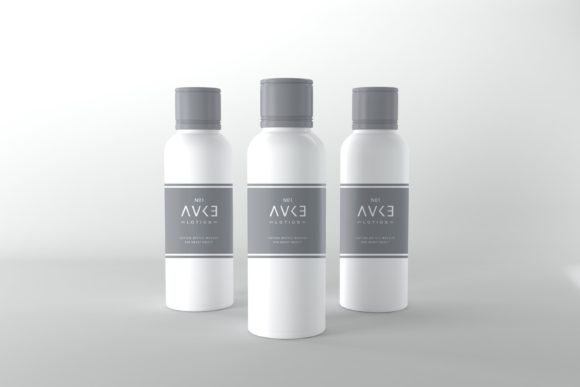
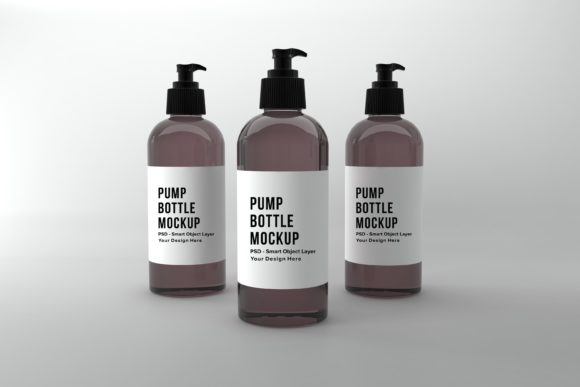
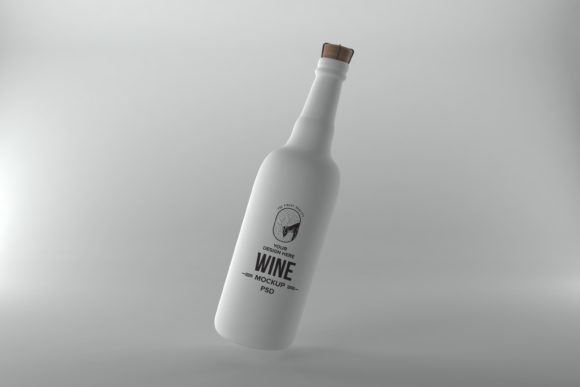
When presenting a wine label design, the final visual can make or break a client's impression. A generic flat layout often fails to convey the premium quality and tactile experience of a real bottle. This is where a specialized Wine Drink Bottle Mockup becomes an invaluable design asset, offering a photorealistic canvas to bring your branding concepts to life.
This particular mockup is more than a simple 3D render; it's a 3D realistic rendered scene designed to make your artwork stand out. The high level of detail provides an authentic context, allowing you to visualize how your label design interacts with light, shadow, and the bottle's form. It’s an ideal tool for packaging design projects, client presentations, or building a compelling brand identity portfolio.
Why Choose a Realistic Bottle Mockup?
The value of a premium mockup lies in its ability to save time and elevate professionalism. Instead of constructing a complex 3D scene from scratch, you can apply your design in minutes using a PSD Smart Object Layered Photoshop file. This streamlined process is perfect for designers working on tight deadlines or those looking to create consistent, high-quality social media graphics and web design assets efficiently.
The included files are tailored for versatile use. The high-resolution JPEG (5000 x 3333px) is perfect for sharp prints or detailed digital views, while the layered PSD offers full control. The minimalistic background ensures your logo design or label artwork remains the focal point, making it suitable for everything from an editorial design feature to an online store banner.
Practical Applications for Designers and Creators
This mockup fits seamlessly into various creative workflows. Consider using it for:
- Client Presentations: Show stakeholders a tangible preview of a wine label concept, enhancing communication and approval rates.
- Portfolio Enhancement: Display your packaging design work in a realistic setting, making your portfolio more engaging and professional.
- Marketing Collateral: Create stunning visuals for websites, blogs, or printed marketing materials that require a premium aesthetic.
- Social Media Content: Generate eye-catching posts for Instagram, Facebook, or Pinterest that highlight your design skills or promote a product.
The ease of use is a key benefit. By using a graphic editor like Photoshop, you simply overlay your label design onto the smart object layer. This allows you to test different typeface choices, color schemes, and graphic elements quickly, helping you refine the final look without the overhead of manual rendering.
Tips for Selecting and Using Your Mockup
When choosing any design assets, including mockups, always consider the project's mood. A realistic wine bottle scene suits elegant, traditional, or luxury branding. Ensure your chosen font pairing—whether a classic serif font, a modern sans serif font, or an elegant script font—complements the mockup's realistic tone for visual harmony.
Always check the file specifications and license. Confirm the resolution meets your needs, especially for poster design or large prints. Verify that the license allows for your intended use, whether for personal projects, client work, or commercial merchandise. A well-chosen mockup, paired with thoughtful typography, strengthens brand recognition and delivers a polished, professional presentation that resonates with audiences.
Ultimately, investing in a high-quality, realistic mockup like this one is an investment in your creative process. It provides a reliable, visually stunning foundation to showcase your work, ensuring your designs are perceived with the clarity and impact they deserve.